![BLAZE-Logo-Blue.svg]](https://help.blaze.me/hubfs/BLAZE-Logo-Blue.svg)
Please note this process can enable a free 7 day trial, however it is HIGHLY RECOMMENDED to pay for a plan immediately after Sign Up so the accessiBe widget remains enabled on your BLAZE Site and ECOM Menu.
- Log into ECOM Mission Control
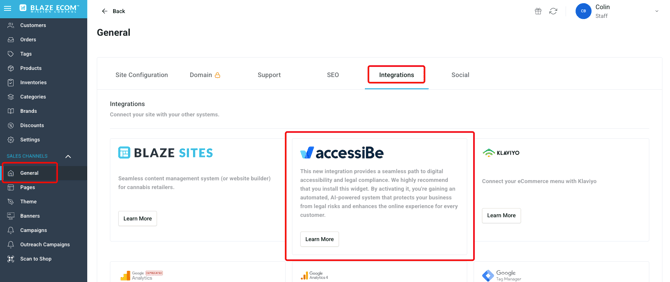
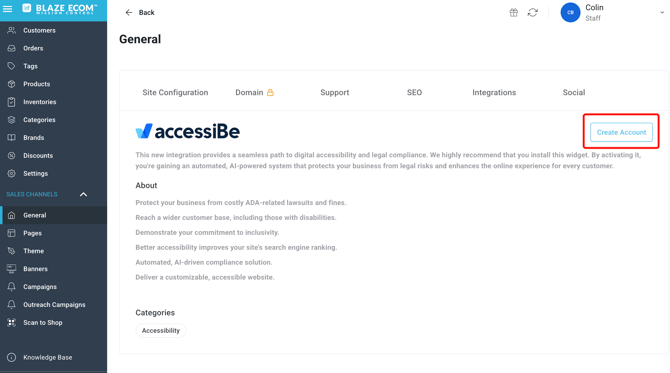
- Click General -> Integrations -> accessiBe -> Create Account
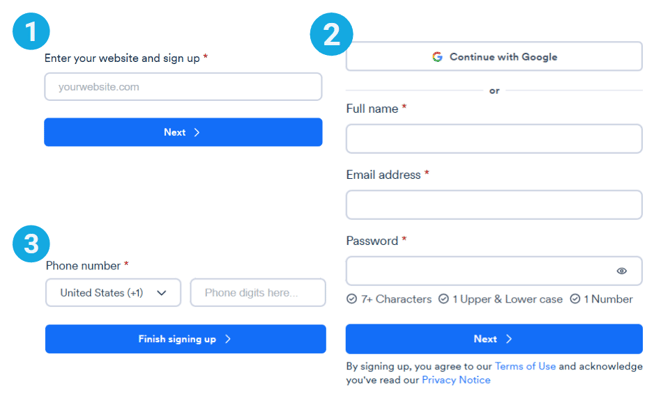
*NOTE: Alternatively to Steps 1 and 2, you can utilize the sign up link.
- Follow the prompts to sign up for an accessiBe account. You will want to configure your primary domain to the accessiBe account for the widget to connect and display on the ECOM menu.
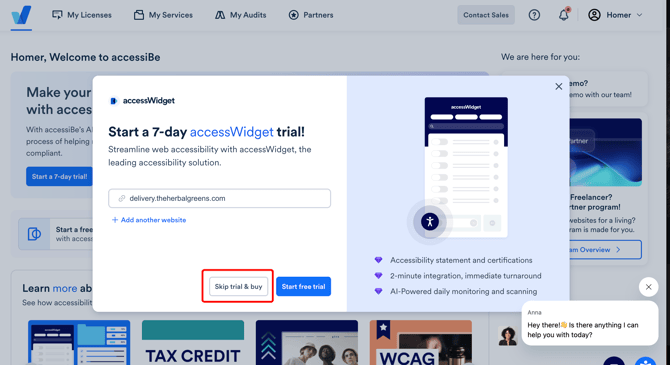
- Once you have created an account, you'll be logged in. Enter your primary domain used during account creation into the prompt, hit "Skip Trial" and purchase an accessiBe plan.
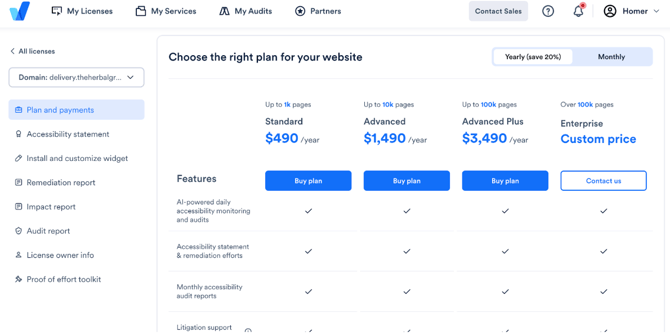
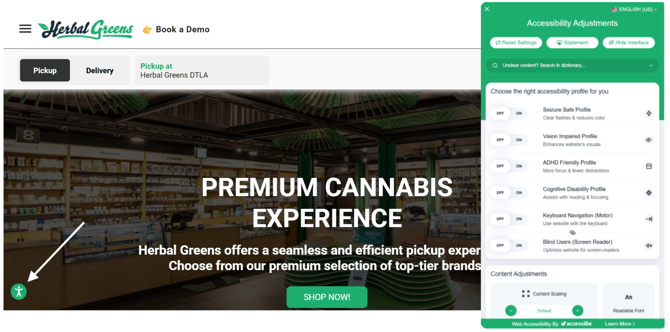
Once a plan is purchased, you'll receive a confirmation email from accessiBe. For BLAZE ECOM and BLAZE Sites users the accessiBe widget should automatically begin to populate.
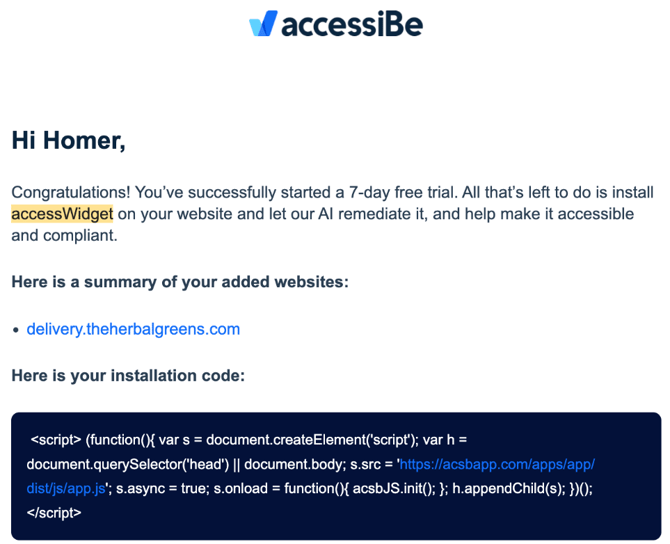
If already utilizing another ADA widget or Non-BLAZE hosted website, you can install through Google Tag Manager by following the instructions in this knowledge base article.
- If you have any questions about the installation of accessiBe, please reach out to ecomsupport@blaze.me.
- If any questions about accessiBe pricing, plans, or services please reach out to Hans Fuchs, hansfu@accessibe.com.
Please note that the accessiBe widget is provided for your convenience and as a courtesy only. While we have made efforts to provide the widget on the menu when the accessiBe account is activated, we cannot guarantee that the accessiBe widget will meet all of your needs for ADA compliance. We cannot be held liable for any issues related to the use of the accessiBe widget or its effectiveness in ensuring ADA compliance.