![BLAZE-Logo-Blue.svg]](https://help.blaze.me/hubfs/BLAZE-Logo-Blue.svg)
Helper Texts allow you to communicate policies and important details to your customers during checkout.
This is particularly helpful for providing information like instructions related to pickup and/or delivery, delivery times and other possible requirements.
ASAP Helper Text
On ECOM Mission Control:
- Go to General
- On the Site Configuration tab, find the ASAP Helper Text near the middle of the page
- Click Edit
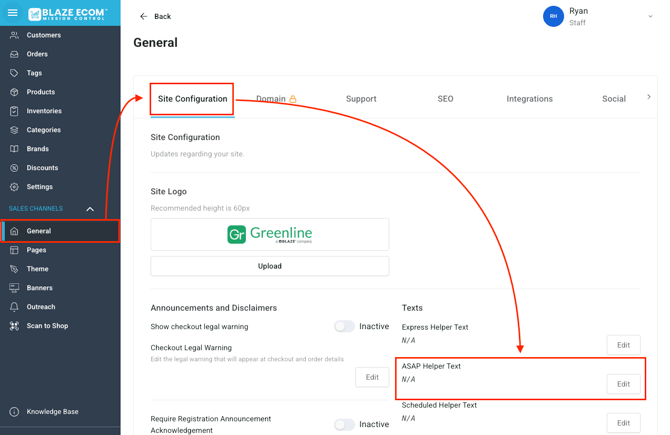
- The Edit window will appear where you can input the text
- Click Save
ASAP Helper Text at Checkout
The ASAP Helper Text appears on the ECOM menu checkout screen, before payment:
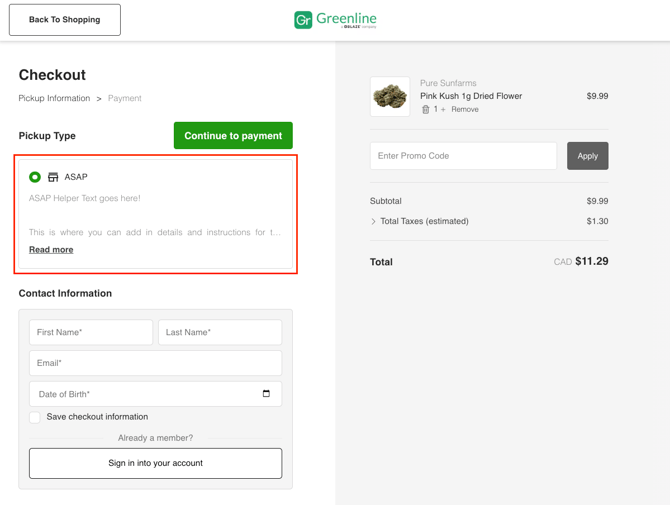
The Helper Text will appear regardless of fulfillment method.
Make sure to clearly communicate both pickup and delivery instructions if necessary.
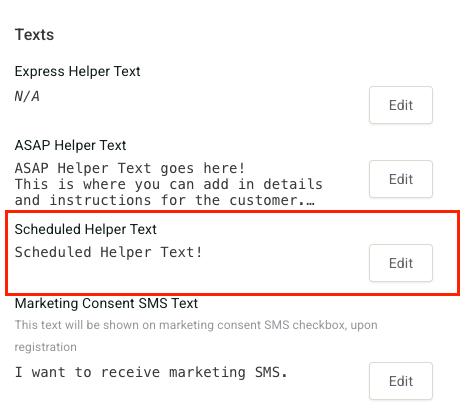
Scheduled Helper Text
For those using Scheduled Pickup and/or Scheduled Delivery can add additional information specific to those fulfillment options.
You will find the Scheduled Helper Text just below the ASAP Helper Text